
Hosted Studio · Active
ForgeUI Hosted Studio
Active ForgeUI development now continues in Hosted Studio. Design, Simulate LVGL, then Build & Flash supported ESP32 hardware from your browser. LVGL Simulator is a Hosted capability; the local source download below is a separate legacy release.
ForgeUI Studio is free for personal and non-commercial use, with no time limit. Business / commercial use requires a Business licence. AI generation uses separate AI Credits.
Try ForgeUI Hosted Studio Free (opens in a new tab)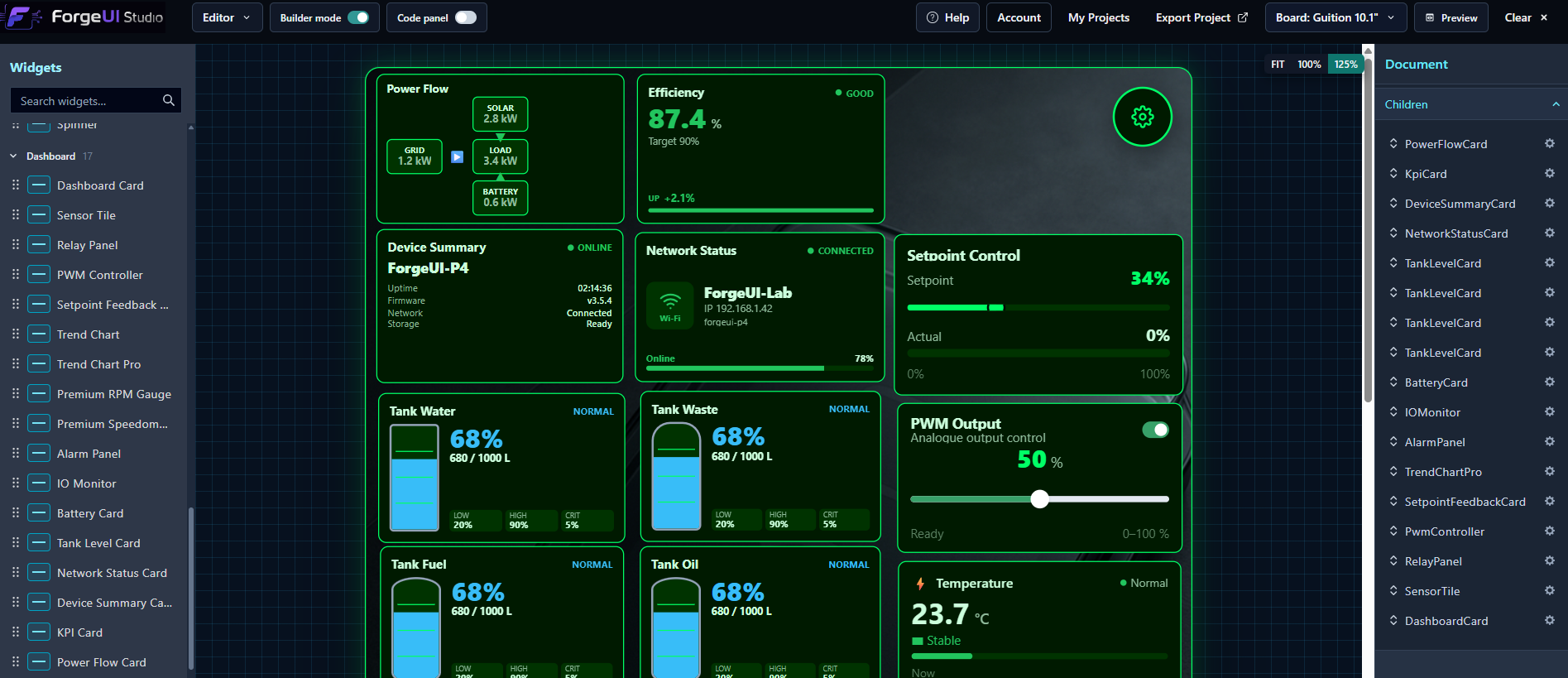
Legacy / local source release
ForgeUI Studio v3.5.7
Legacy local/source release
Active ForgeUI development has moved to ForgeUI Hosted Studio. The v3.5.7 source release remains available for developers who want to run ForgeUI locally, inspect the source or use the historical open-source toolchain.
No packaged Windows installer is planned for this legacy release. Use the published source archive and documented setup to run v3.5.7 locally. View First-Time Setup Guide
- Release
- v3.5.7
- Channel
- Legacy Source
- Platform
- Local / Windows source setup
- Status
- Maintenance / archived feature development
Release status
v3.5.7 — Device Console
ForgeUI Studio v3.5.7 is the retained legacy source release. It includes the Studio-wide Device Console alongside 44/44 practical LVGL, 14 Native Components and five physically proven Hardware Examples. Active feature development continues in Hosted Studio.
- Release channel
- Legacy Source
- Platform
- Local / Windows source setup
- Availability
- Available
- Latest release
- v3.5.7
v3.5.7 release highlights
- • New Studio-wide Device Console with BUILD, MONITOR and I/O views
- • Integrated ESP-IDF Build & Flash and Clean Build & Flash output
- • Live raw ESP32 serial monitoring with port selection and 115200 default baud
- • Safe serial-port release before flashing and automatic reconnect after success
- • Read-only I/O interpretation of recognised runtime log patterns
- • Expanded Device Console and Hardware Example documentation
Available today
Hardware-proven exported projects remain available.
Nine hardware-proven ESP32-P4 exports have separate GitHub Releases. Their source remains available, while ready-to-flash download actions appear only when a custom release ZIP is attached.
Browse ready-to-flash projectsForgeUI UI projects
Project downloads are managed in the UI Library.
Catalogue packages may include editable ForgeUI project data and a standalone ForgeUI/ESP-IDF export. Each project publishes its own availability, and entries without a real ZIP remain marked as coming soon.
Future entries may be free, coming soon or available later. No payment or protected-download access is currently offered.
Current public packages
0
No catalogue ZIP is exposed until its real public file is published.
Standalone export
Own and extend an independent project.
ForgeUI exports a complete standalone ESP-IDF/LVGL project with native LVGL UI code, required image assets, generated input hooks and public output APIs. It selects the supported board's firmware template, and referenced CMake sources are validated before delivery. Developers can own it, edit it, version control it, build it, flash it and extend it independently with normal ESP-IDF tooling.
Generated UI remains generated and replaceable. Permanent application behaviour belongs in the exported developer-owned integration and application layer. The device needs no browser runtime, ForgeUI cloud connection, OpenAI connection, subscription check or phone-home dependency. Catalogue entries state explicitly when a downloadable standalone export is published.
Supported development targets
Two specific, physically tested environments.
ForgeUI supports the Waveshare ESP32-P4 WiFi6 Touch LCD 7B at 1024 × 600 landscape and the Guition JC8012P4A1C ESP32-P4 10.1-inch at 800 × 1280 portrait on tested P4 v1.x/pre-v3 hardware. This does not claim support for every ESP32-P4 board or every Guition revision.
- Windows
- Waveshare ESP32-P4-WiFi6-Touch-LCD-7B
- 1024 × 600 touchscreen
- LVGL 9.2.2
- ESP-IDF 5.5.4
Current ForgeUI Development