
ForgeUI Workshop · Resident AI UI Designer
Meet Larry
ForgeUI Studio's workshop teammate.
Tell Larry what you're building and he'll have a crack at the first draft. He chooses from ForgeUI's certified visual toolbox, designs the screen and hands the result back as real editable ForgeUI objects — not a screenshot or disposable AI mock-up.

A useful first draft, honestly described
He's not the fastest bloke in the workshop.
Larry currently runs as a compact self-hosted AI on ForgeUI's own CPU infrastructure. More involved screens can take several minutes. But he gets the job done — and he's learning.
We're teaching Larry how to choose the right ForgeUI tools, group instrumentation, use the available canvas and build better first drafts. The goal isn't to replace the developer or pretend every AI layout is perfect. The goal is simple: get you off the blank canvas.
The boundary
Larry proposes. ForgeUI validates. You decide what ships.
Larry does not have unrestricted authority over a project. ForgeUI remains the authority for certified widget, property and project rules.
Physical acceptance evidence
We gave Larry a job.
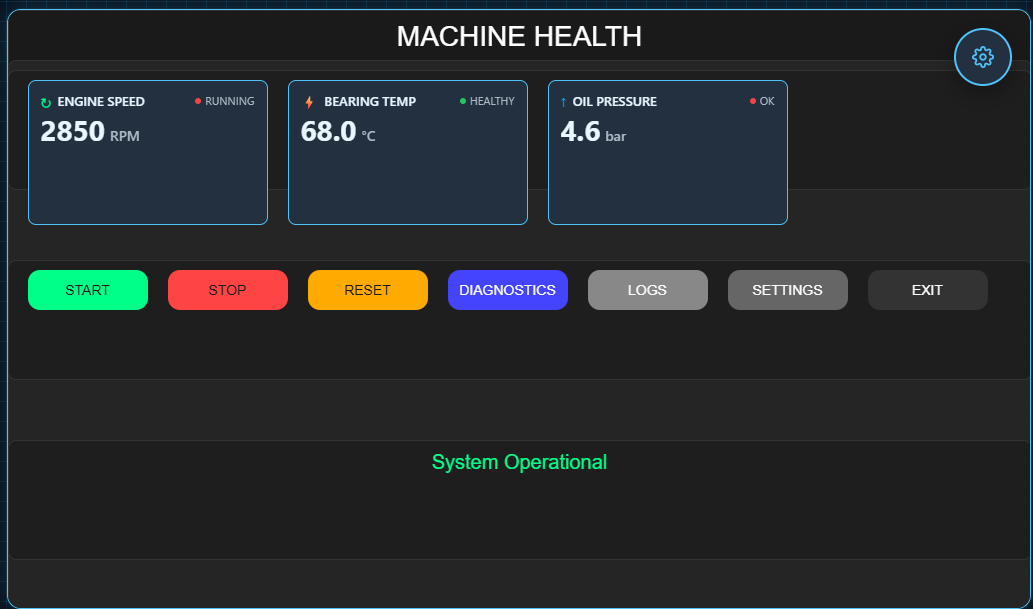
The brief below was given to Larry. The result is a real ForgeUI screen made from genuine, editable ForgeUI objects.
The brief
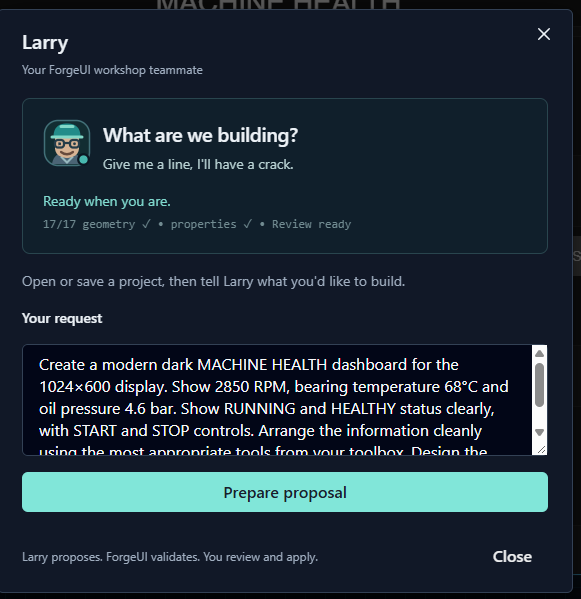
Create a modern dark MACHINE HEALTH dashboard for the 1024×600 display. Show 2850 RPM, bearing temperature 68°C and oil pressure 4.6 bar. Show RUNNING and HEALTHY status clearly, with START and STOP controls. Arrange the information cleanly using the most appropriate tools from your toolbox. Design the layout yourself.
The human stays in the loop
A draft is the beginning, not the finish line.
- 01
Describe
- 02
Larry drafts
- 03
ForgeUI validates
- 04
You review
- 05
Edit normally
- 06
Build / flash
Developers can move, resize, restyle or replace Larry's work exactly like any other ForgeUI objects. Draft Review keeps structurally safe work visible when it still needs visual tidying.
What Larry can do today
A bounded toolbox, not magic.
- Understand a natural-language HMI brief.
- Choose appropriate tools from his current certified toolbox.
- Create substantial multi-widget layouts.
- Use richer ForgeUI components such as instrumentation and charts where appropriate.
- Return genuine editable objects to the normal ForgeUI editor.
- Hand imperfect but safe work through Draft Review for human cleanup.
Larry's staff card
LARRY
- Role
- Resident UI Designer
- Department
- ForgeUI Workshop
- Brain
- Qwen3.5 4B
- Toolbox
- 18 certified visual tools
- Largest current job
- 32 widgets
Speciality: Getting developers off the blank canvas.
Performance review: Gets the job done. Still learning where everything should go.
Employment status: still employed.
Larry is learning
The workshop keeps improving the first draft.
A small self-hosted 4B model is being given a tightly bounded ForgeUI vocabulary and deterministic validation rather than unrestricted authority. That is the interesting engineering work.
Whole-screen composition
Visual balance and spacing
Widget-selection judgement
Instrumentation grouping
Efficient use of the canvas
Larry isn't here to replace you. He's here so you don't have to start with an empty screen.