Physically validated
Elecrow CrowPanel ESP32 7-inch Basic
ESP32-S3 · 800 × 480

ForgeUI Studio · ESP-IDF · LVGL 9
Design it. Simulate it. Build it. Flash it. Watch it run.
ForgeUI Studio is a visual LVGL UI builder for ESP32. Connect supported controls in the Inspector, run generated C with real LVGL 9.2.2 in your browser, then build, flash and monitor supported hardware without leaving Hosted Studio.
Free for home & personal use. Business and commercial use is licensed separately. Supported browser and WebSerial-compatible hardware are required for device connection.
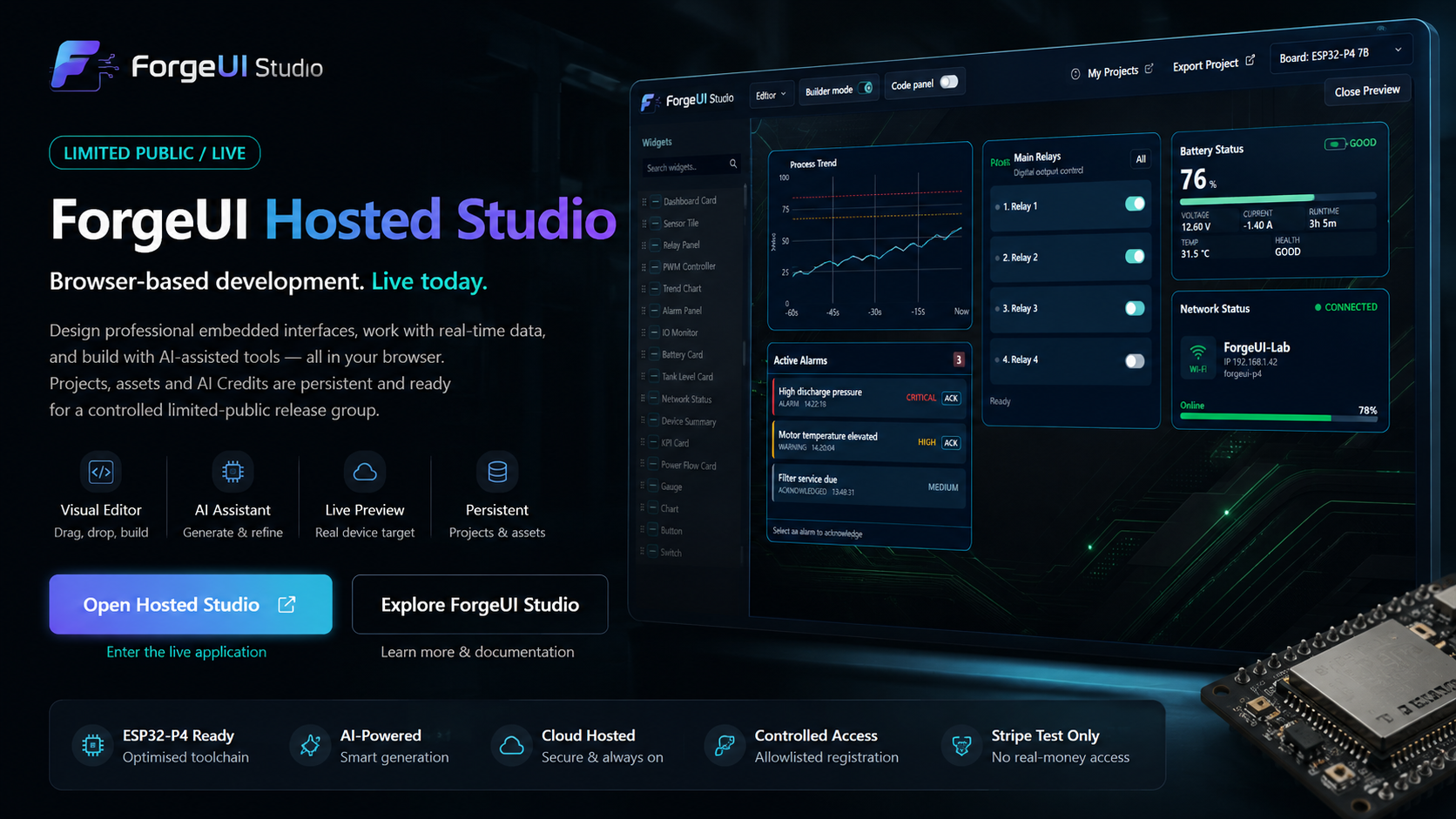
ForgeUI brings visual embedded UI and HMI development to ESP32, including supported ESP32-P4 and ESP32-S3 hardware. ForgeUI Hosted Studio turns LVGL 9 designs into native LVGL C for browser simulation, ESP-IDF builds and browser flashing where supported. You can also export a standalone ESP-IDF firmware project and continue development with your own toolchain.
New in owner testing · Connected UI
Linked controls, shared displays, threshold alarms with hysteresis and scaled values. These qualified connection types have owner-reported success in ForgeUI's real LVGL simulator.
Now running with a 64K design context for larger connected interfaces.
Watch Larry's connected-UI demonstrations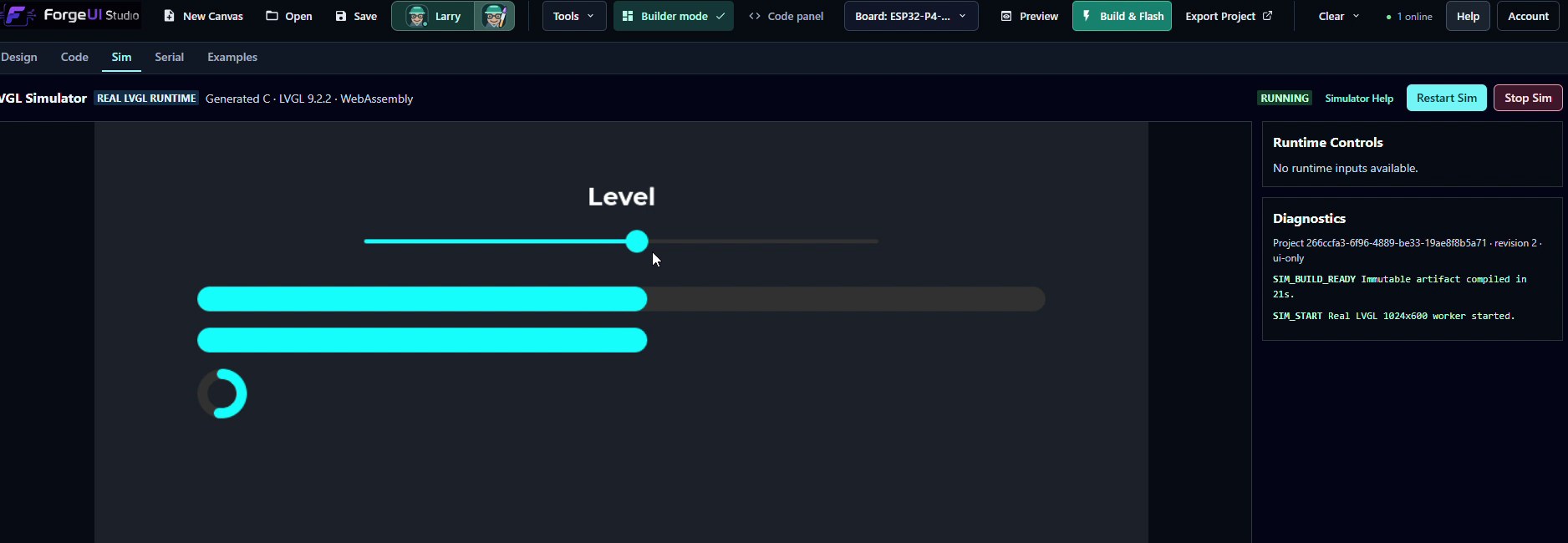
RTX 4080 Development Preview — Actively Improving
Larry is the Creative UI Manager—not a template generator.
Larry explores colour, hierarchy, composition and personality. Studio helps developers review, move, resize, recolour and refine the design while validating supported widget contracts.
Larry creates the direction. Studio helps developers turn it into a usable interface without stripping away its personality.
Larry 9B is in private owner development. It is not yet a generally available customer feature.
Explore the development storyReal development captures. Select an image to inspect the full-resolution original.
01 / 03
“larry create a colourful reminder ui, add some flair”
A simple request for a colourful reminder UI led to a neon palette, a prominent clock, a clear status heading, indicators and a coordinated button matrix. This is a rendered design draft; reminder actions and hardware behaviour are not demonstrated by the capture.
02 / 03
A follow-up request aligns four drink choices while preserving their labels, sizes and colours. The working draft shows the change beside the conversation, with Reject and Undo/Redo controls and a separate review step for Studio.
03 / 03
Drink selection, serving sizes and status controls sit over separately supplied dispenser artwork. This Studio composition shows how developer refinement can build on Larry's design direction.
From canvas to hardware
ForgeUI Hosted Studio carries supported ESP32 targets from a board-aware canvas and generated LVGL simulation through hosted ESP-IDF builds, browser flashing and live serial output.
Design
Preview
Sim
Build
Flash
Serial
Browser Build & Flash and Serial require a compatible desktop browser, Web Serial and a supported board profile.
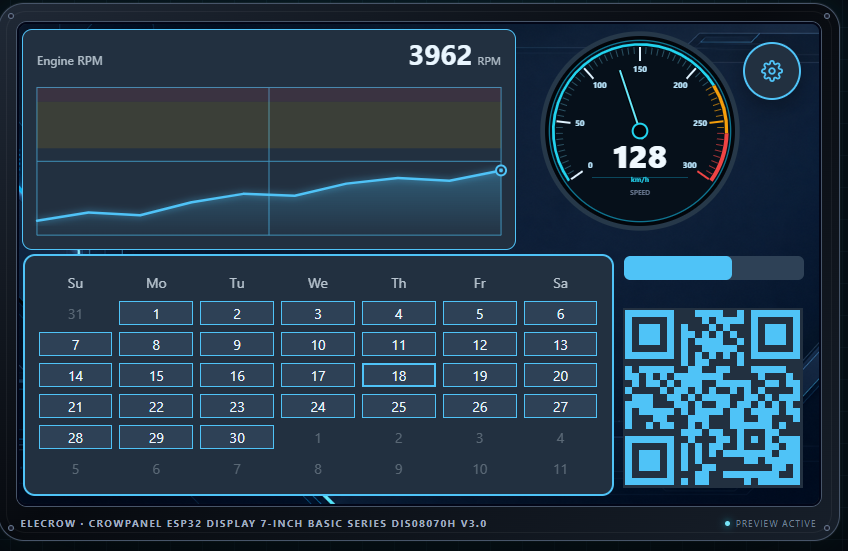
Physically tested hardware
Physically validated
ESP32-S3 · 800 × 480
Physically validated
ESP32-P4 · 1024 × 600
Physically validated
ESP32-P4 · 800 × 1280 portrait
Physically validated
ESP32-S3 · 1024 × 600
Validation covers the named supported targets and does not imply universal ESP32 board compatibility.
LVGL Simulator · Live in Hosted Studio
Run generated C with real LVGL 9.2.2 compiled to WebAssembly before connecting a board. Test navigation and native controls with pointer interaction, then use Runtime Controls to inject approved simulated application or sensor values.
Build on the board-aware canvas, then connect compatible semantic values in the Inspector. The current Visual Logic slice supports direct numeric bindings.
Run the generated interface in real LVGL. Transient Runtime Controls call approved FLOAT Runtime SDK setters so you can test live values and binding fan-out.
Export the generated application architecture or build ESP-IDF firmware and flash a supported ESP32 board through browser Web Serial.
Your canvas components, generated C and saved Visual Logic bindings are part of the application.
Runtime Controls are developer-only, Sim-only and transient. They are not added to the HMI, persisted as project defaults, custom C, or hardware I/O configuration.
Hosted Sim runs generated, data-only display projects. It does not emulate ESP32 hardware or run developer-owned Hybrid C. Developer-owned Hybrid C, hardware services and application logic run through exported firmware or Build & Flash on the target. There, generated component setters connect sensors, ADC, CAN, UART and application state to the UI.
Design · Connect · Simulate · Flash
Visual Logic lets one supported semantic source drive multiple compatible display targets. Each target keeps its own configured range, clamping, formatting and component behaviour.
In the proven workflow, Analog Input Measurement.value fans out to Pressure Measurement, Sensor Tile, Premium RPM Gauge and Tank Level Card.
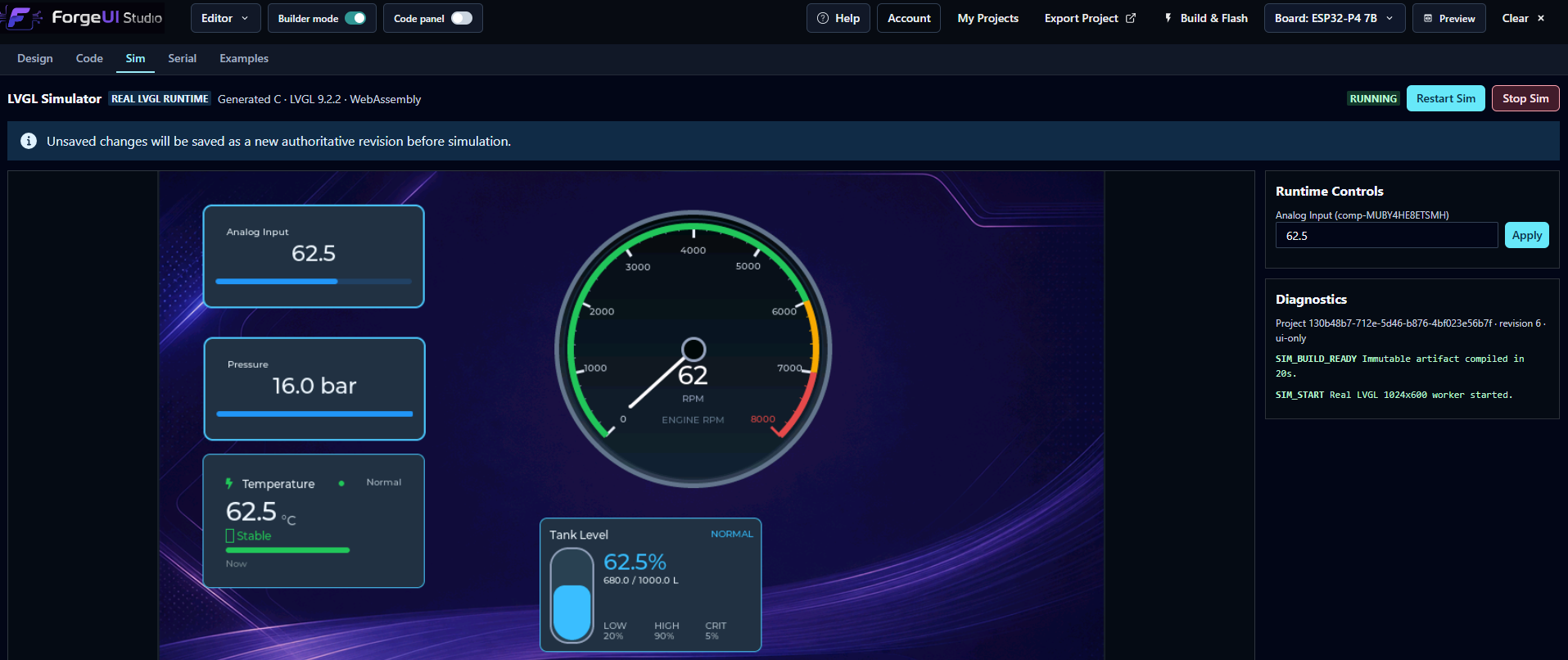
The earlier direct Slider binding remains supported. Drag the real LVGL Slider in browser Sim and watch the generated gauge respond.
Physically proven on ESP32-P4
Control real ESP32 relay nodes wirelessly from a ForgeUI ESP32-P4 touchscreen.
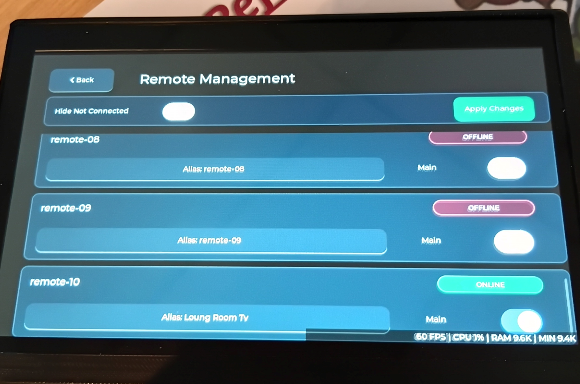
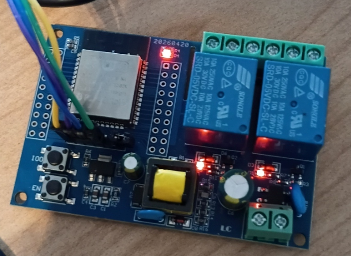
The proven controller is the 1024 x 600 Waveshare ESP32-P4-WIFI6-Touch-LCD-7B. It manages ESP32-WROOM-32E Relay X2 remotes using the ForgeUI esp32-relay-x2 profile.
Relay controls are generated on the physical controller at runtime from configured remotes. The Studio editor intentionally does not display fake relay panels. The ESP32-S3-Touch-LCD-7B is not currently supported as a Wireless Relay controller.
Open Hosted Studio →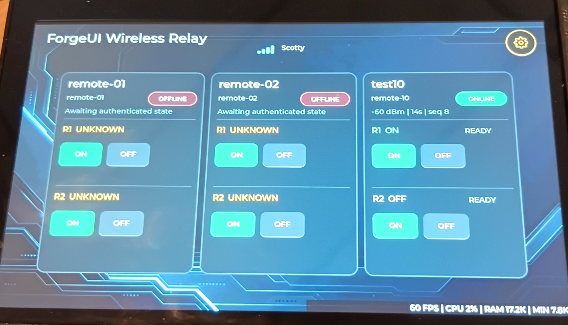
Configure → Build & Flash → Connect → Switch
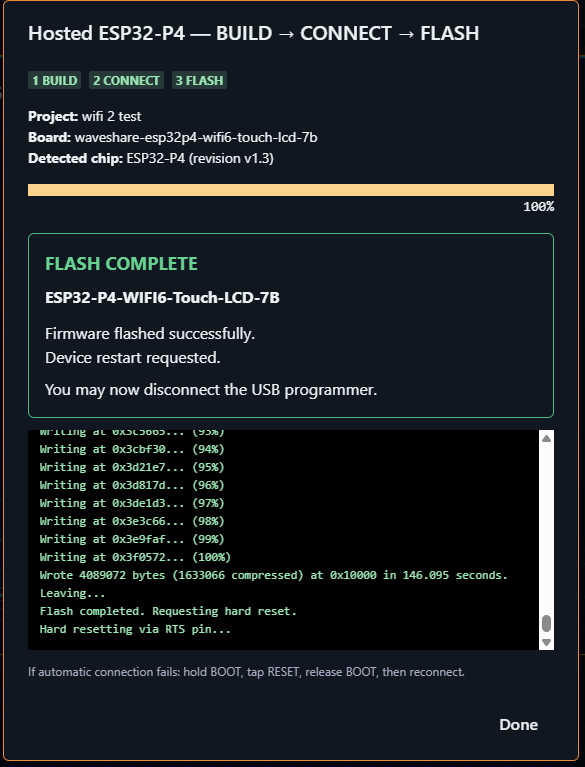
Configure the controller and Relay X2 project in ForgeUI, Build & Flash from Hosted Studio, then manage connected nodes and switch the physical relays from the touchscreen.
One connected browser workflow
Display projects use the complete path. Headless projects start in Code and use the same build, flash and Serial pipeline.
Display: Design → Simulate LVGL → Build & Flash → Real hardware
Headless: Code → Build → Flash → Serial
Visual design + real source
Drag and drop onto a board-sized Canvas, adjust geometry and appearance in the Inspector, fit or zoom, then check the result in Browser Preview. Generate native LVGL 9 instead of rebuilding the interface by hand in C.
Dashboard Card, Sensor Tile, Relay Panel, PWM Controller, Setpoint Feedback, Trend Chart, Trend Chart Pro, Alarm Panel, IO Monitor, Battery Card, Tank Level Card, Network Status, Device Summary, KPI and Power Flow.
Explore native and dashboard components →UI Library →Work with an actual file tree, multiple tabs and editable user-owned C source. Generated files stay protected; Rewind, compiler Problems and diagnostic-to-source navigation keep changes understandable.
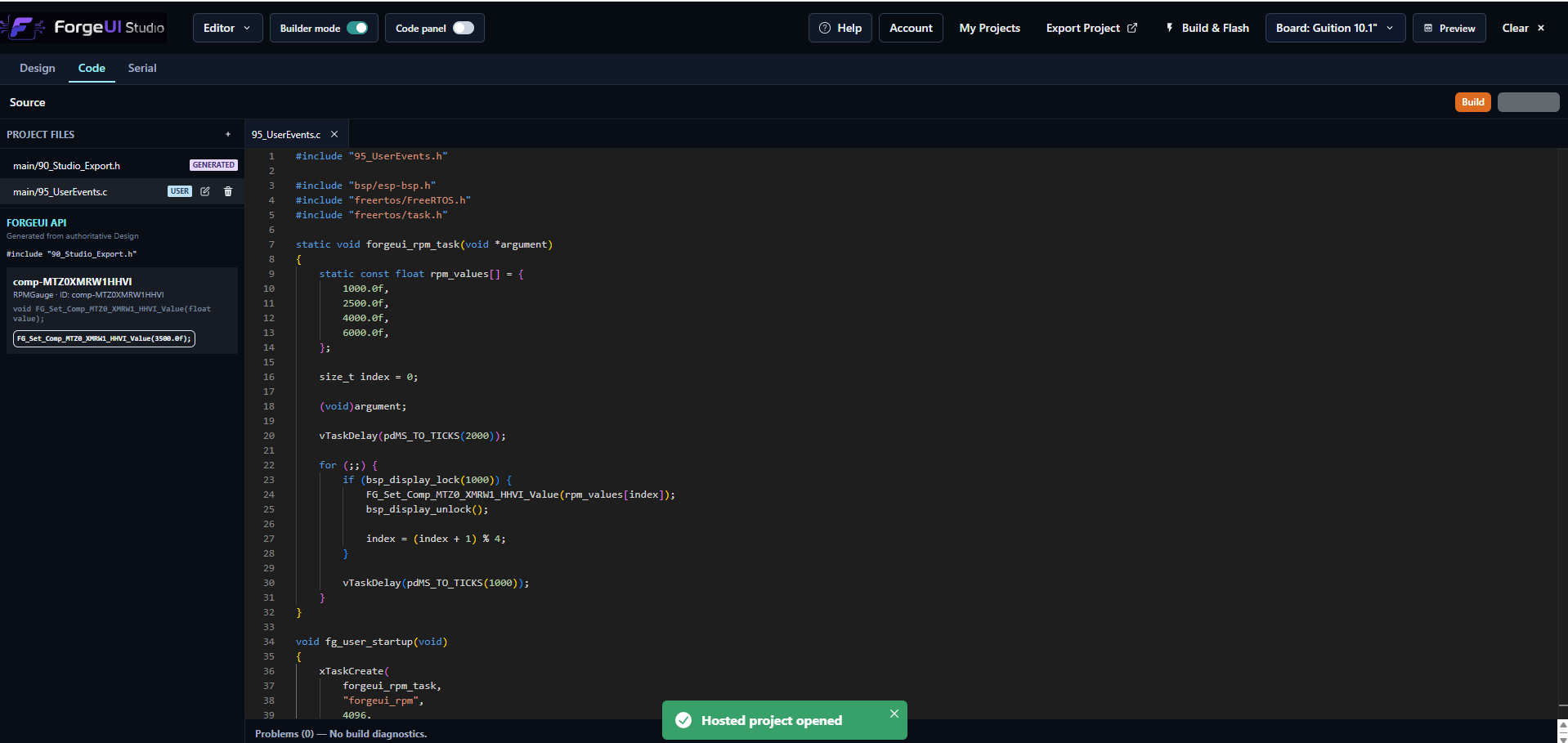
Drop an RPM Gauge, let ForgeUI generate its firmware API, then write the behaviour in user-owned code. Build, flash and watch the physical gauge respond—without editing the generated UI layer.
Connect 95_UserEvents.c hooks and runtime setters →DROP RPM GAUGE → GENERATED API → USER CODE → BUILD → FLASH → MOVING PHYSICAL GAUGE
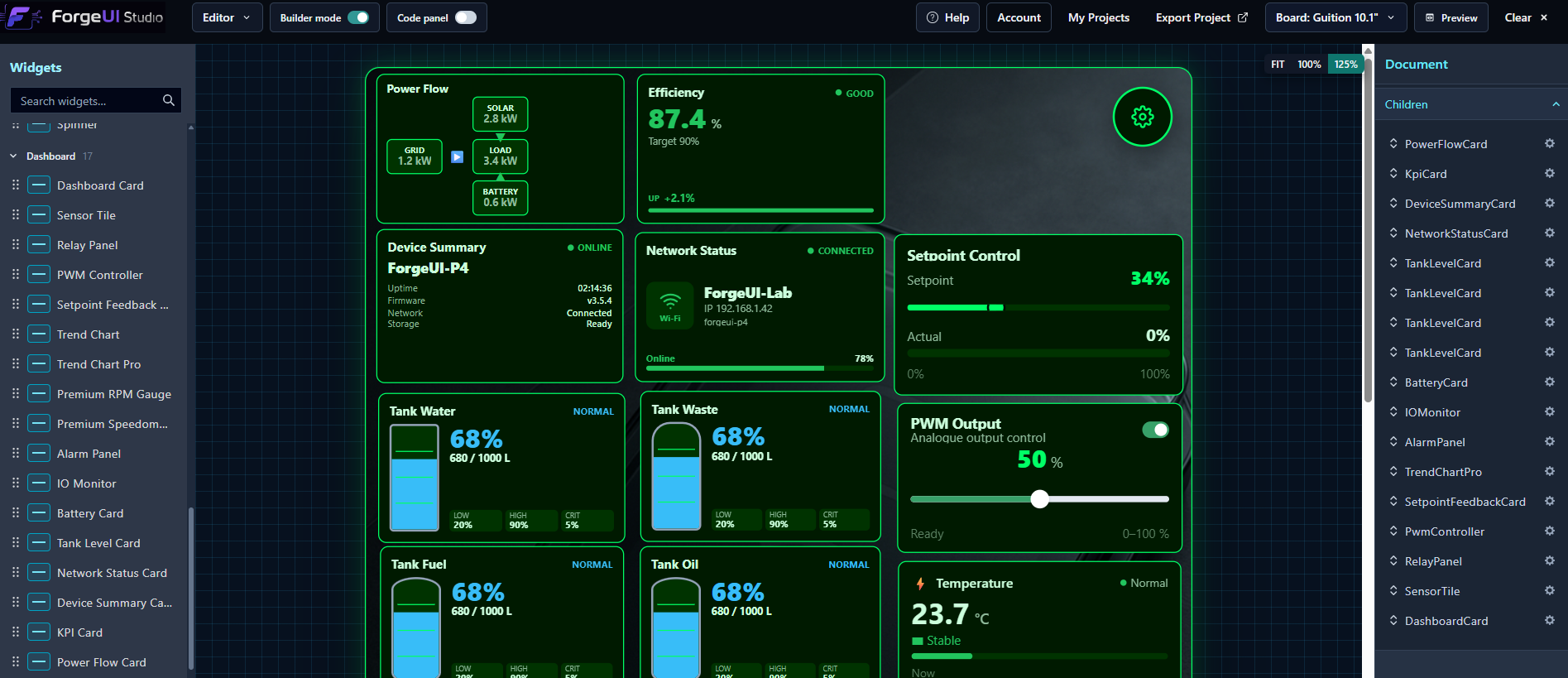
Live Examples Library
Search by category, understand board compatibility, hardware requirements, dependencies, provenance and licensing, then choose Use Example to start from the source.
The expanded ESP-IDF example set is currently focused primarily on the ESP32-S3 Super Mini; not every example targets every supported board.
Hosted ESP-IDF 5.5.4
Compile generated UI and user code without maintaining a local toolchain. ForgeUI handles dependencies, returns verified firmware artifacts and maps compiler diagnostics into Problems. A successful build remains available even if device connection fails.
BUILD → CONNECT → DETECT CHIP → VERIFY FIRMWARE → FLASH → RESET
Supported ESP32-S3 and ESP32-P4 profiles require a compatible desktop browser, WebSerial and supported hardware.
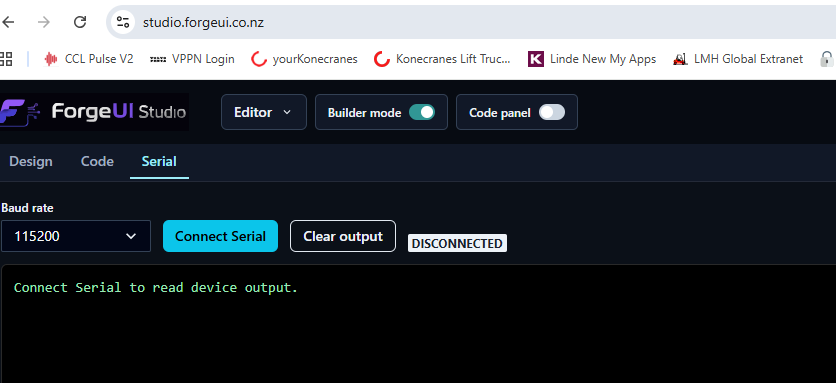
Move directly from flashing to live application output through the shared device session, with auto-scroll and a bounded output buffer.
Proven on physical hardware
Physically proven
Headless
Code/example → Hosted Build → Flash → Serial → real output
Physically proven
1024 × 600
Hybrid Design + Code → moving physical RPM gauge
Physically proven
1024 × 600
Mature Hybrid build, flash and display workflow
Physically proven
800 × 1280 portrait
Proven platform, build, flash and display workflows
Experimental registered profiles
Experimental: ESP32-S3 DevKitC-1 N16R8 · ESP32-S3 DevKitC-1 HW-678 / SPARKE XH-S3E. Capabilities vary by profile; registration does not imply identical peripheral or display support.
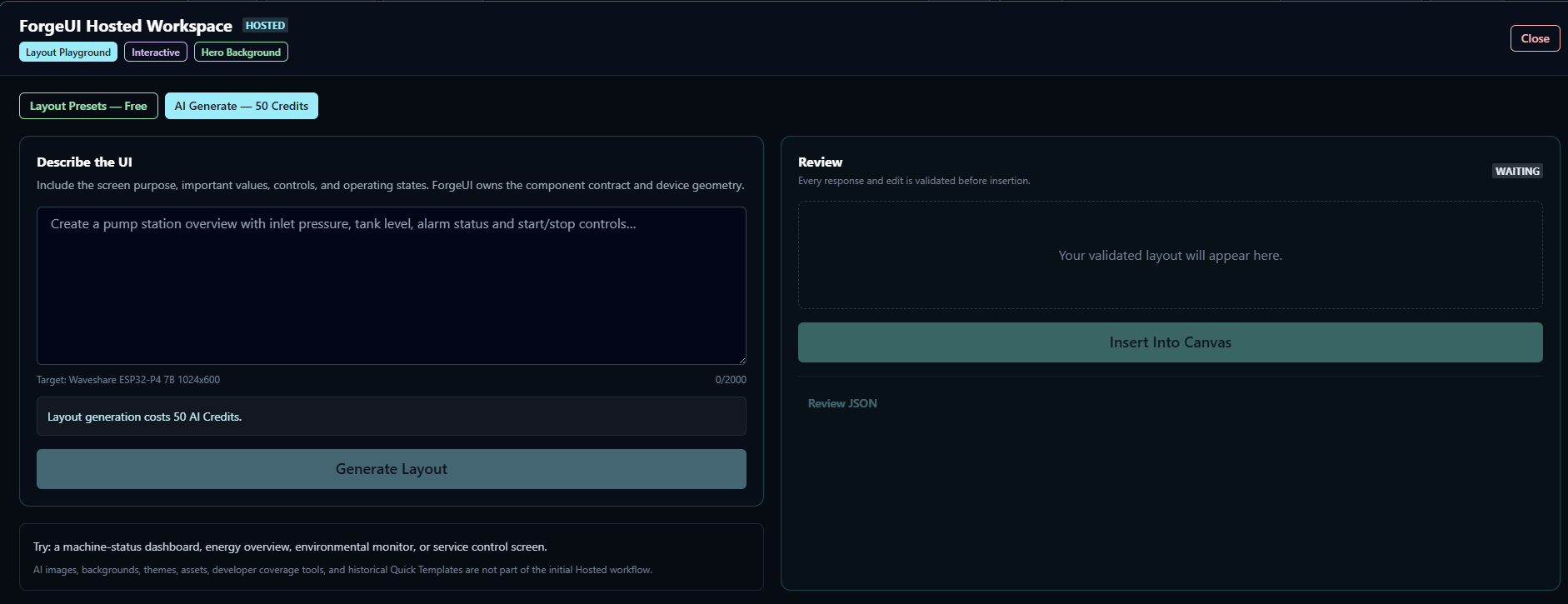
Optional AI Layout Generator
Generate structured, board-aware and palette/appearance-aware layouts constrained to supported components. ForgeUI validates geometry and repairs supported layout issues before you continue editing on the Canvas. Review generated results; automatic asset selection and complex-prompt results still have limits.
Questions
A browser-based visual and code development platform for supported ESP32 projects using ESP-IDF and LVGL.
Yes. ForgeUI generates native LVGL 9 interface code and a real firmware API from visual designs.
Yes. The Code workspace edits real ESP-IDF C source while protecting Studio-managed generated files from accidental changes.
Not for Hosted builds. ForgeUI Hosted Studio currently builds with ESP-IDF 5.5.4. Exported projects can also be developed locally.
Yes, for supported ESP32-S3 and ESP32-P4 targets in a compatible desktop browser using WebSerial.
Yes. Headless projects use Code → Build → Flash → Serial without the visual Design step.
Yes. The live library contains 20 searchable, categorized and board-aware examples. The expanded ESP-IDF set is currently focused primarily on ESP32-S3 Super Mini.
Yes. Hosted LVGL Simulator runs generated C with real LVGL 9.2.2 in WebAssembly, including native pointer interaction. Sim V1 covers UI behaviour; hardware services and custom C require target firmware.
No. Simulation uses a separate UI-only generation profile and preserves your saved hardware settings for Build & Flash.
Open source + Hosted
Public ForgeUI Studio and shared modules are open source under their applicable licences. ForgeUI Hosted provides the managed build and commercial service infrastructure. Third-party dependencies and examples retain their own licences and notices.
See the repository and website terms and notices for the applicable boundaries. Join the Facebook Community for projects and discussion.
ForgeUI Studio
Hosted Studio is free for personal and non-commercial use, with no time limit. Business / commercial use requires a Business licence. AI generation uses separate AI Credits.