Design & Connect
Build on the board-aware canvas, then connect compatible semantic values in the Inspector. The current Visual Logic slice supports direct numeric bindings.

Browser-based embedded UI development
ForgeUI Hosted Studio is a visual LVGL UI builder for embedded interfaces and HMIs on supported ESP32-P4 and ESP32-S3 displays. Drag and drop controls or use an optional AI Layout, generate native C, simulate your LVGL 9 UI in the browser, then build ESP-IDF firmware and flash supported hardware.
Check supported board profiles for display capabilities and browser flashing requirements, or explore standalone ESP-IDF project export for local development.
Open the browser-based Studio with no local Studio installation. ForgeUI Studio is free for personal and non-commercial use, with no time limit. Business / commercial use requires a Business licence. AI generation uses separate AI Credits.
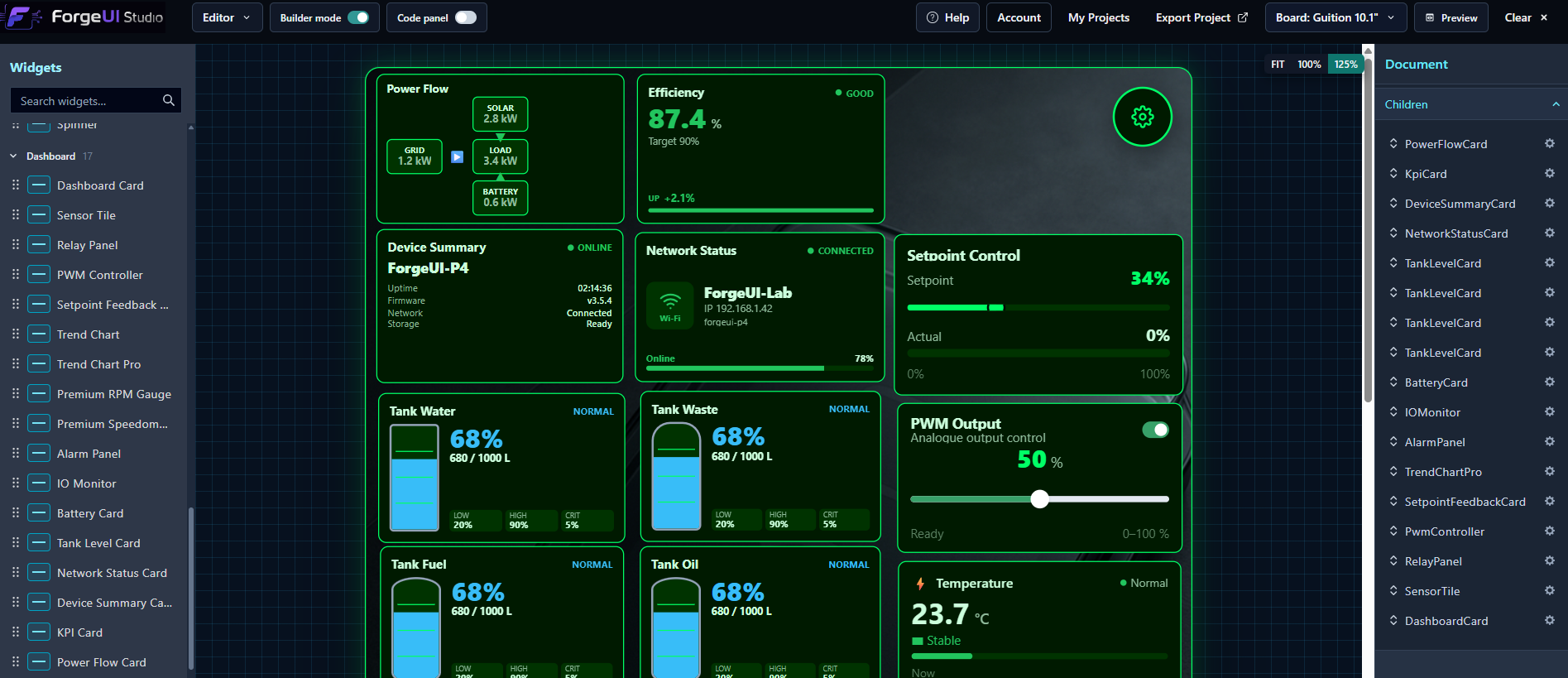
Larry is the Creative UI Manager—not a template generator.
Larry creates the idea, personality, palette and layout. Studio helps you review, validate and refine it into a unique, usable interface. Props, warnings, Undo/Redo and conversation keep you in control. Studio checks supported widget contracts and helps resolve practical issues while preserving the design's personality.
Larry creates then Studio refines then Developers build
From a plain-language idea, Larry explores colour, hierarchy and composition. Review the draft, continue the conversation, then move, resize and recolour supported widgets in Studio.
Recent work improves Input colour compatibility and ButtonMatrix layout edits. Appearance controls now cover background, border and primary/secondary text colours across 34 dashboard widget types, with the picker workflow visibly confirmed on Analog Input.
Larry runs locally on the ForgeUI RTX 4080 service while Hosted Studio manages the browser workflow. Larry remains in private owner development. This does not mean every widget, colour, transparency mode or visual combination has been browser-tested.
Explore Larry’s design workflow →Premium Native Instruments
Premium RPM Gauge and Premium Speedometer are editable, configurable Hosted Studio components with native LVGL output and generated Runtime SDK APIs.
Physically proven together on a Guition JC8012P4A1C ESP32-P4 10.1-inch display at 800 × 1280 portrait.
Widget APIs & firmware hookup →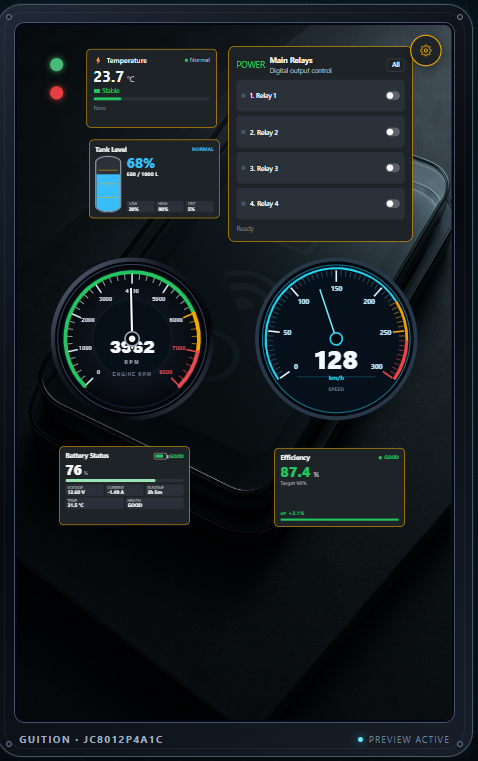
Searchable Component SDK
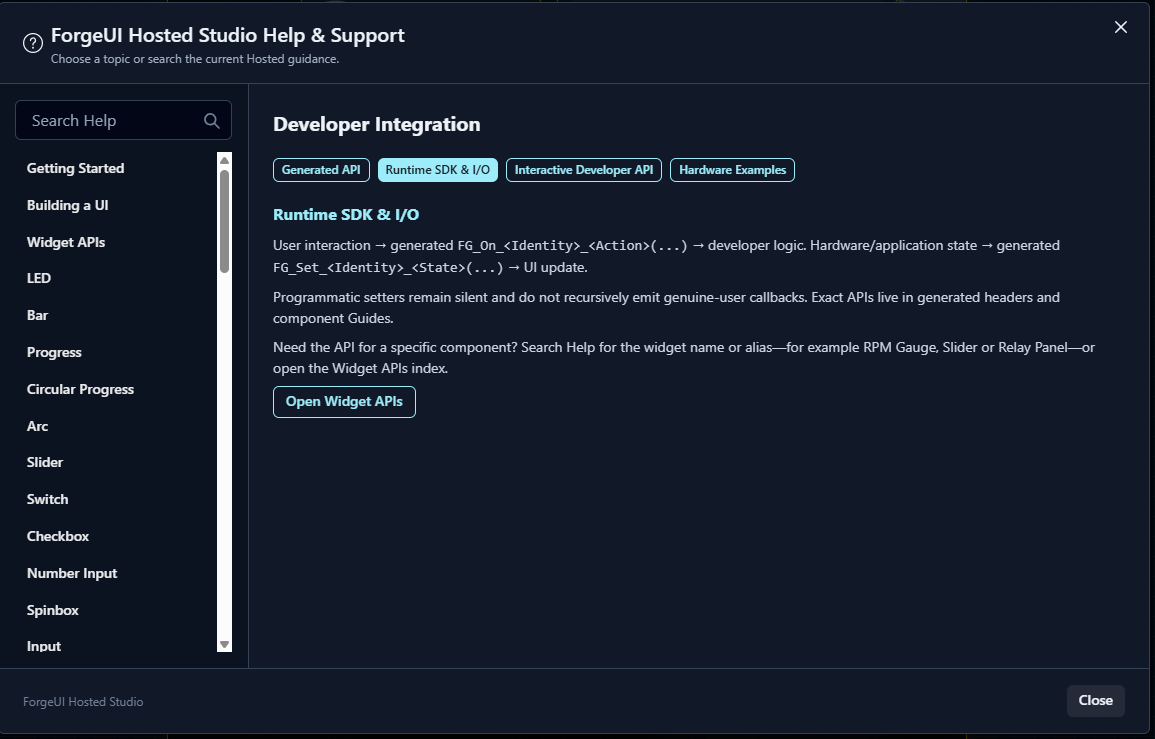
Hosted Help now lets you search documented components for properties, generated APIs, firmware hookup and I/O guidance. Use the generated Runtime SDK to carry sensor or application state into a widget, and generated FG_On_* hooks to carry real touch interactions back to your application logic.
One engineering workflow
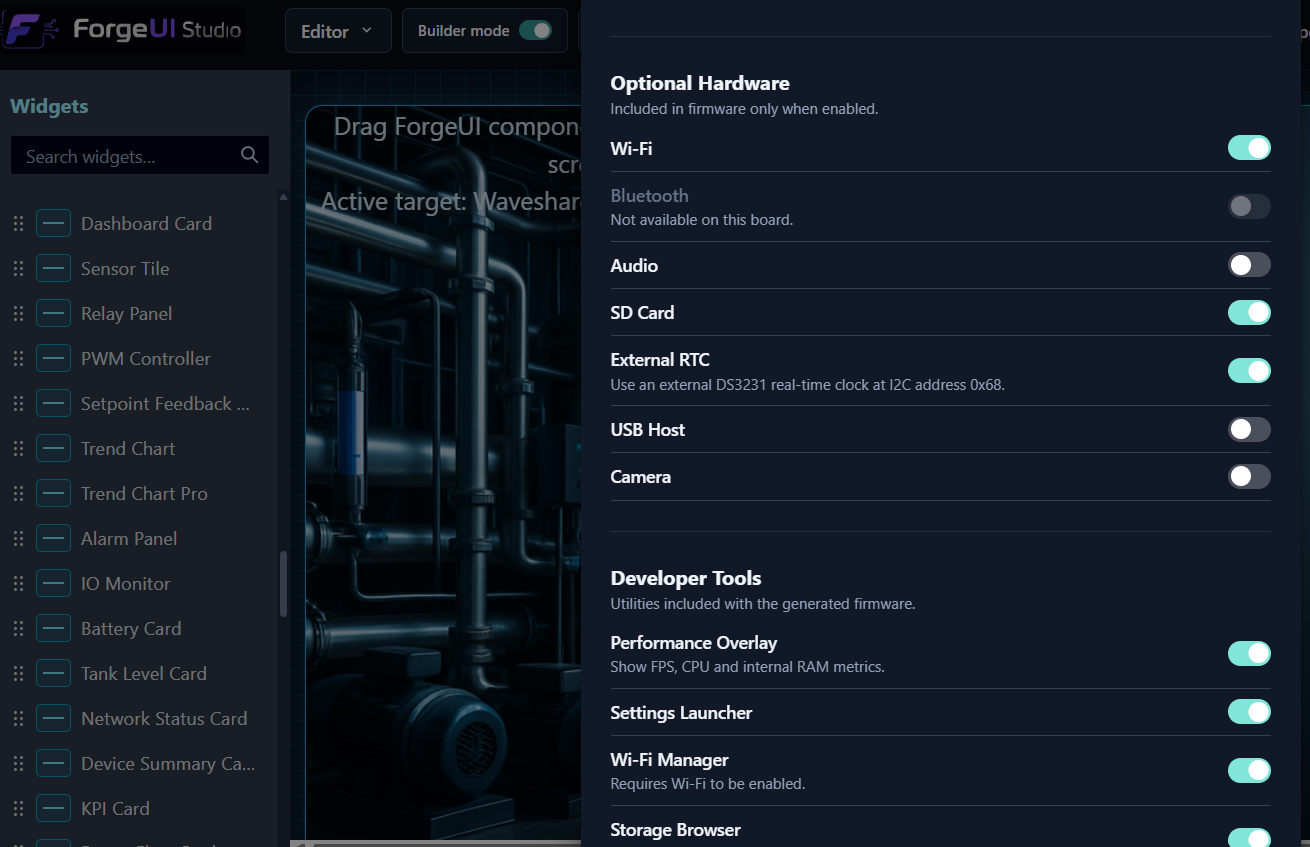
Drag and drop controls or start with an optional AI Layout, then refine your LVGL 9 interface on the board-aware canvas.
Generate native LVGL C from your design, with runtime APIs and hooks for application behaviour.
Run generated UI code with real LVGL 9.2.2 in the browser simulator. Hardware services and custom application C require the physical target.
Build firmware on ForgeUI infrastructure, verify the connected target and flash supported hardware through browser Web Serial.
Reconnect after flashing and inspect live ESP-ROM, ESP-IDF and application output without restarting the browser.
Browser Build & Flash
Hosted Studio builds your generated firmware on ForgeUI's build infrastructure, so the Hosted path does not require a local ESP-IDF toolchain. Connect a supported board through the browser, review the detected target, and flash the finished firmware directly to the device.
ForgeUI verifies the connected target before flashing. Browser flashing requires a compatible desktop browser, Web Serial and a supported board profile. Hosted builds typically take approximately 2–4 minutes.
Select a supported board
Design and generate
Hosted build
Browser connect
Verify the detected target
Flash and run
Browser Serial Terminal
ForgeUI's integrated Serial Terminal shows live ESP-ROM, ESP-IDF and application output directly inside Hosted Studio, with clean ownership handoff between Serial and browser flashing.
Disconnect Serial, flash the device, then reconnect without restarting the browser. The text Send field writes bytes to the device; the device firmware must implement its own command handling to respond.
Web Serial connection
Baud selection · 115200 default
Live output with auto-scroll
Clear and Copy
Text Send with optional newline
Disconnect · Flash · Reconnect
LVGL Simulator · Live in Hosted Studio
Run generated C with real LVGL 9.2.2 compiled to WebAssembly before connecting a board. Test navigation and native controls with pointer interaction, then use Runtime Controls to inject approved simulated application or sensor values.
Build on the board-aware canvas, then connect compatible semantic values in the Inspector. The current Visual Logic slice supports direct numeric bindings.
Run the generated interface in real LVGL. Transient Runtime Controls call approved FLOAT Runtime SDK setters so you can test live values and binding fan-out.
Export the generated application architecture or build ESP-IDF firmware and flash a supported ESP32 board through browser Web Serial.
Your canvas components, generated C and saved Visual Logic bindings are part of the application.
Runtime Controls are developer-only, Sim-only and transient. They are not added to the HMI, persisted as project defaults, custom C, or hardware I/O configuration.
Hosted Sim runs generated, data-only display projects. It does not emulate ESP32 hardware or run developer-owned Hybrid C. Developer-owned Hybrid C, hardware services and application logic run through exported firmware or Build & Flash on the target. There, generated component setters connect sensors, ADC, CAN, UART and application state to the UI.
Design · Connect · Simulate · Flash
Visual Logic lets one supported semantic source drive multiple compatible display targets. Each target keeps its own configured range, clamping, formatting and component behaviour.
In the proven workflow, Analog Input Measurement.value fans out to Pressure Measurement, Sensor Tile, Premium RPM Gauge and Tank Level Card.
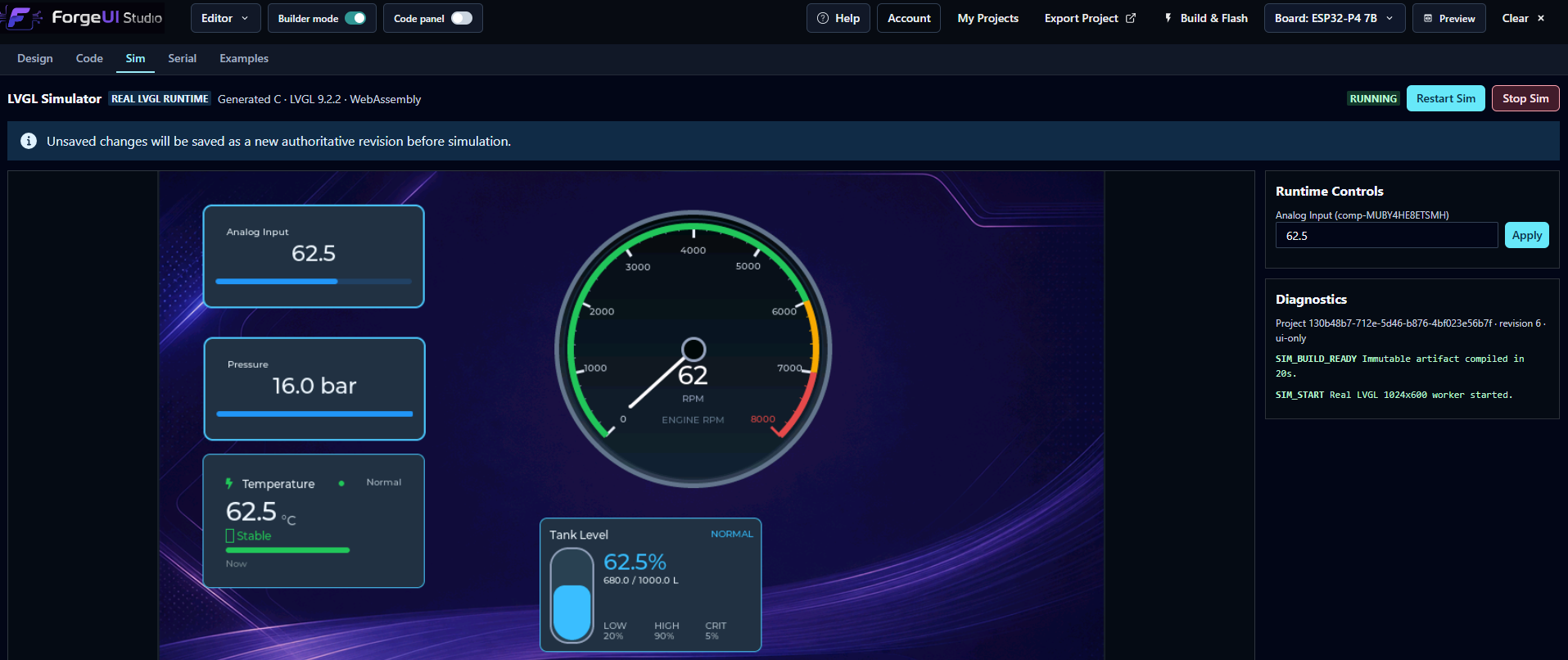
The earlier direct Slider binding remains supported. Drag the real LVGL Slider in browser Sim and watch the generated gauge respond.
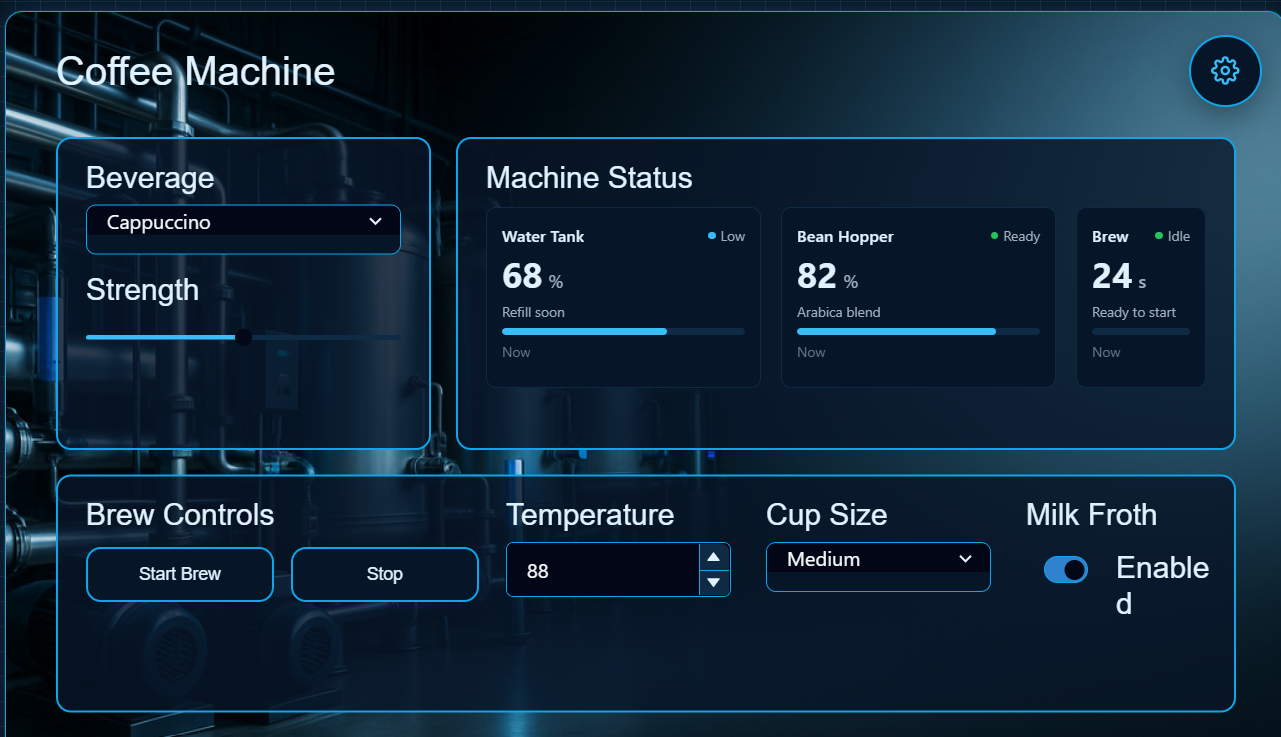
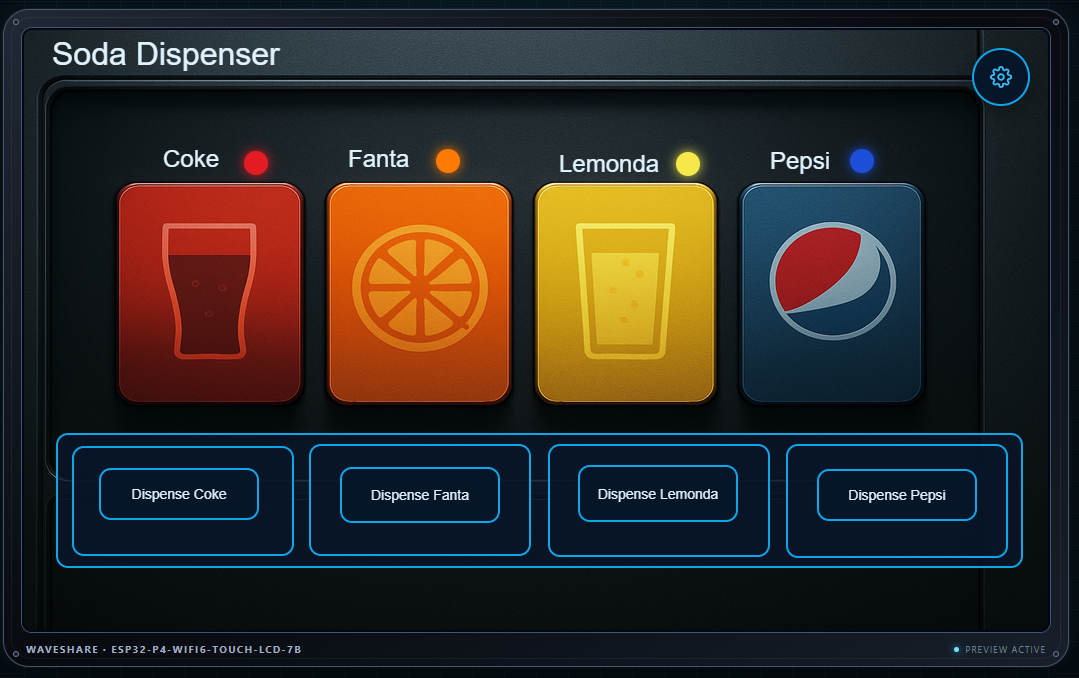
From background to editable UI
Combine a visual background with editable regions and ForgeUI controls for status, selection and machine actions. Preview the interface at the selected device resolution before export.
Two ways to work
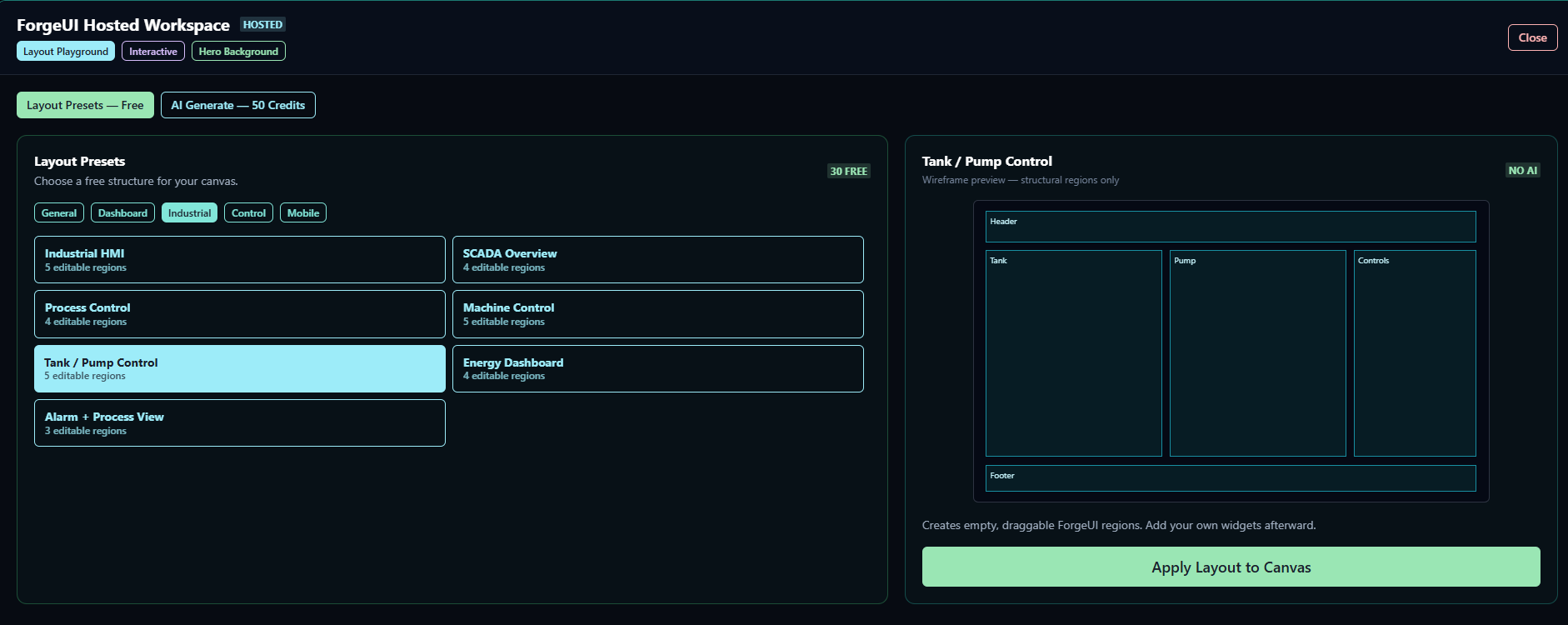
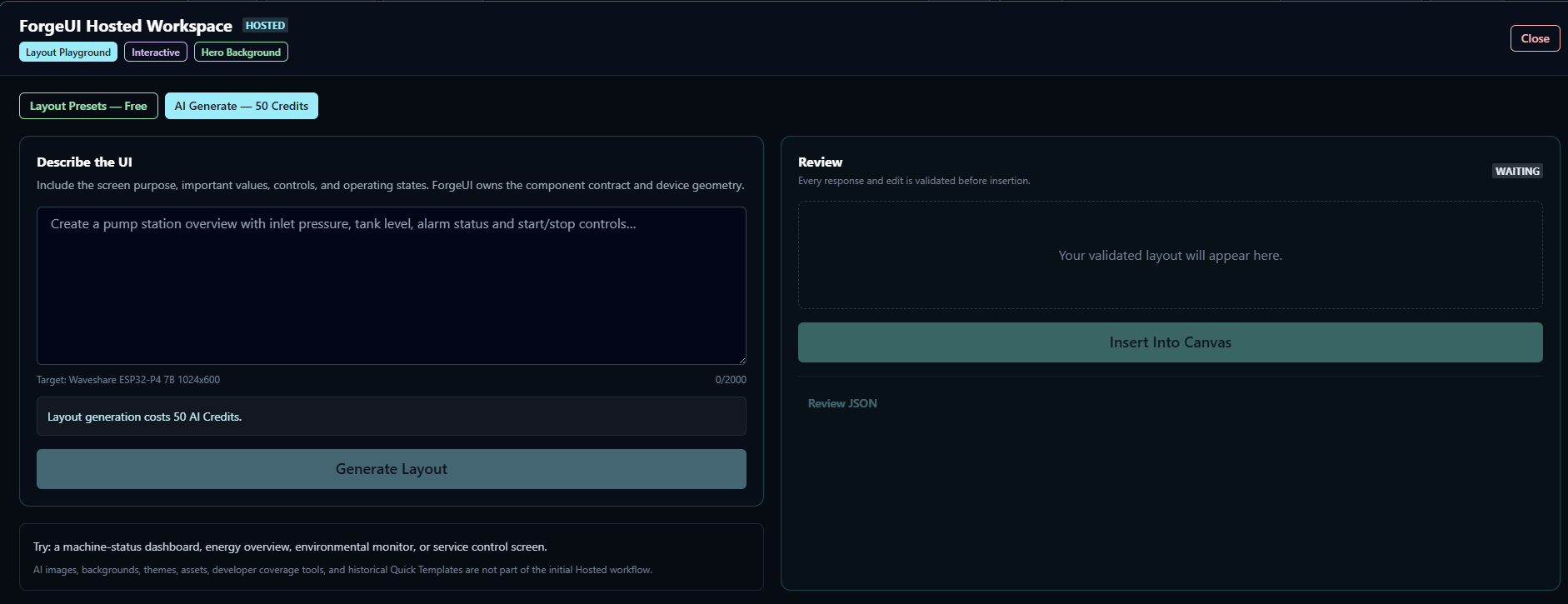
Hosted Studio remains a direct visual UI builder. Use free deterministic layouts and normal canvas editing, or bring in AI generation for specific creative and structural steps.
Free / direct workflow
Optional AI assistance
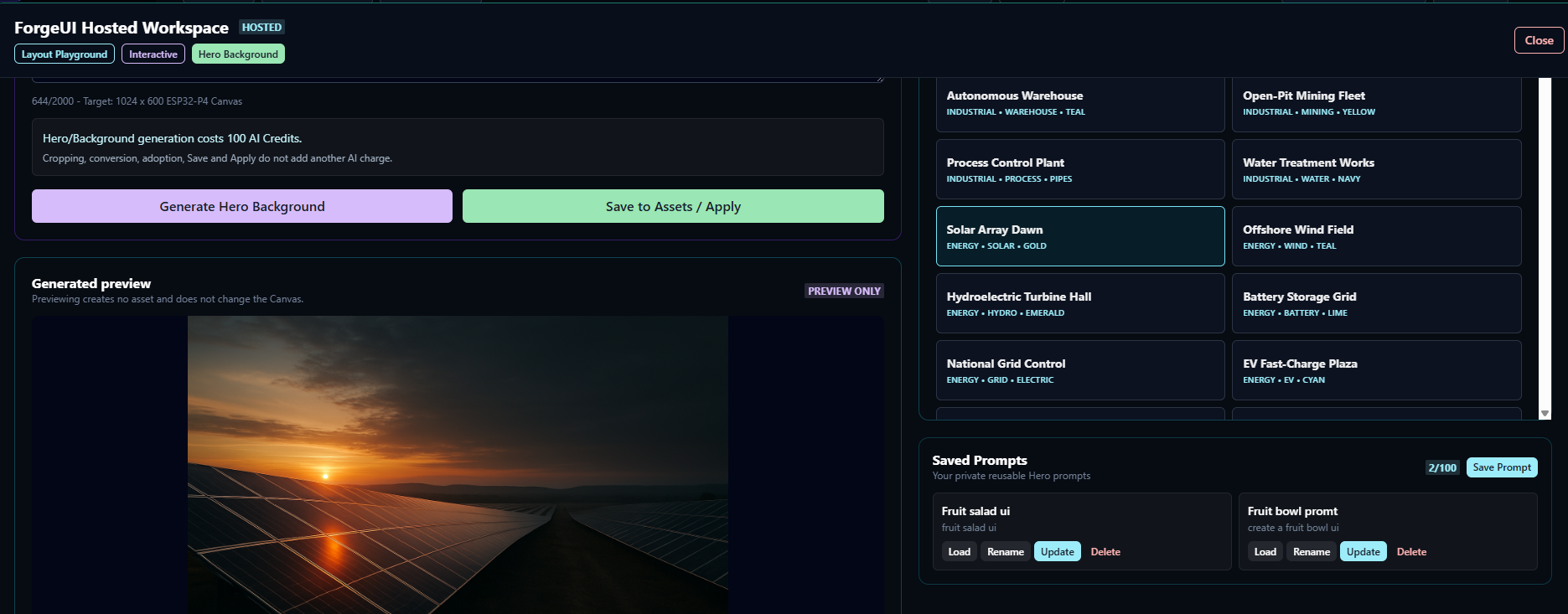
Board-aware AI Hero studio
Select the board, choose a style and generate. ForgeUI automatically uses the target dimensions and orientation—1024 × 600 landscape for Waveshare or 800 × 1280 portrait for Guition—then lets you apply the result to Canvas and export it with the project.
The Guition workflow has been live-validated with a genuinely portrait-composed Hero. Preset browsing, prompt editing, cropping, conversion, saving and applying do not add another AI charge.
Theme and asset workflow
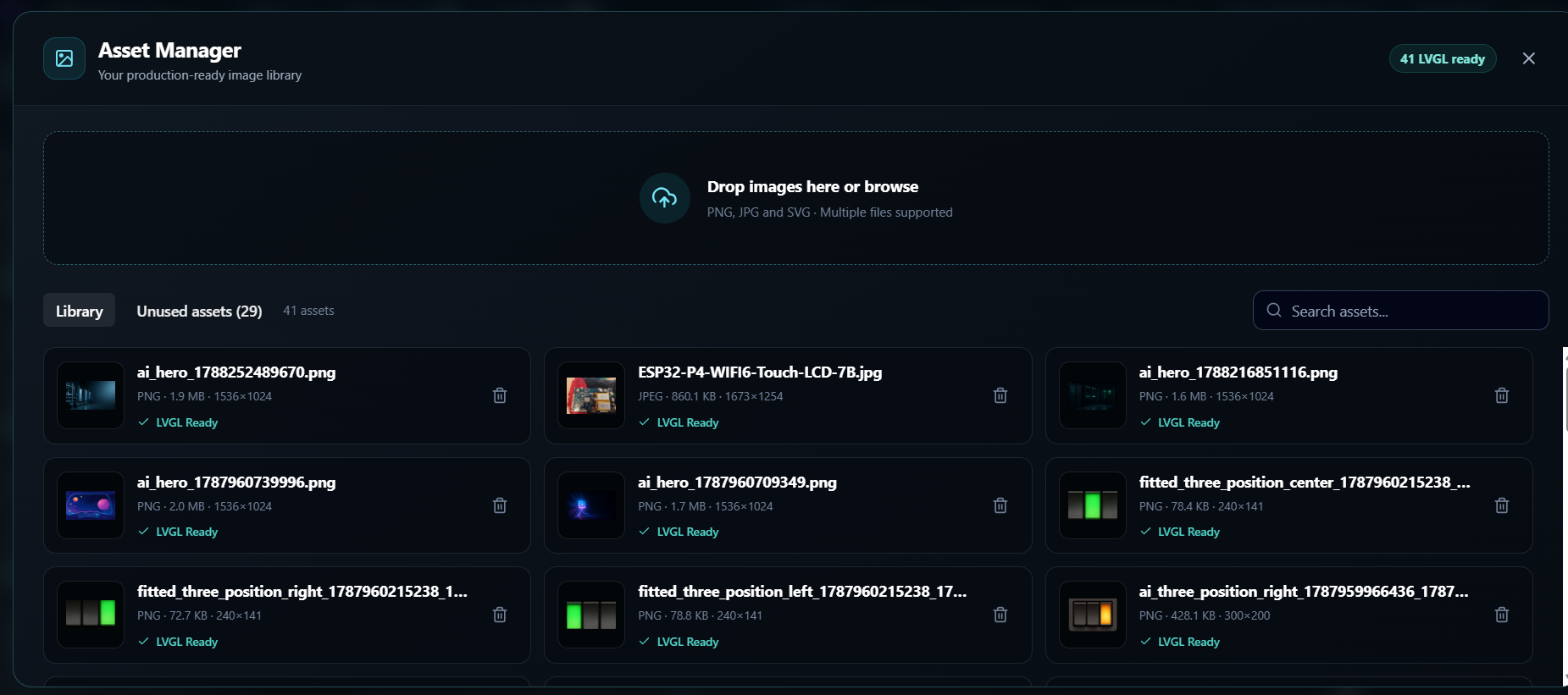
Compact Theme Manager navigation separates Palettes, Backgrounds and Asset Library. Assets can be viewed as Compatible, All assets, Heroes, Weather, Components or Other, so generated component states no longer compete with every background in one undifferentiated list.
Compatibility follows screen dimensions and orientation rather than a permanent board name. Badges such as HERO, 800×1280, PORTRAIT and COMPATIBLE make the active screen family visible.
Account-backed workflow
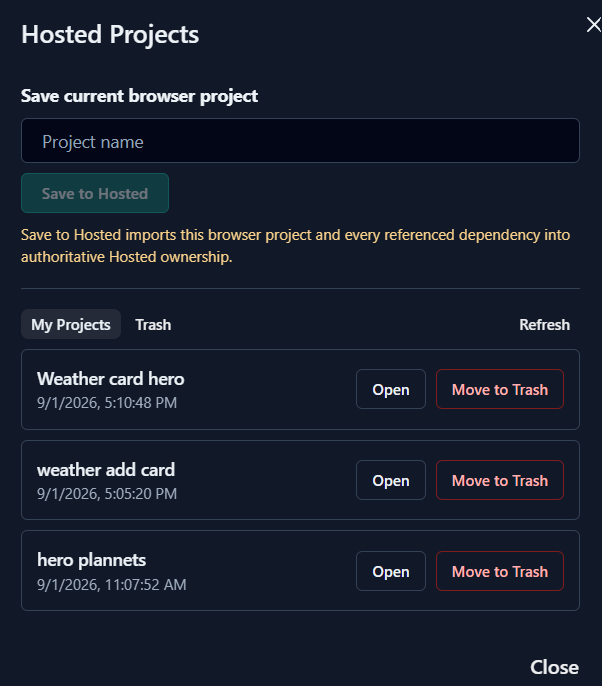
The Hosted asset manager prepares project imagery for LVGL use, while persistent projects let you save and reopen work through your verified account.
Two delivery paths
Use the Hosted path to build, connect and flash without configuring ESP-IDF locally. When you want the full source workspace, export a standalone ESP-IDF project with native LVGL output and continue in your normal embedded toolchain.
ForgeUI Studio
Use the downloadable Studio and local ESP-IDF toolchain for developer-owned projects, firmware builds, flashing and hardware integration.
Explore ForgeUI Studio →Hosted Studio
Verified accounts, persistent projects and assets, Hosted builds, target safety checks and browser flashing extend the workflow without taking ownership of your exported application logic.
View access boundaries →Enter the browser-based application today. Public registration and prepaid Hosted access are available under the current Hosted Access Terms.
Read Hosted Access Terms →